
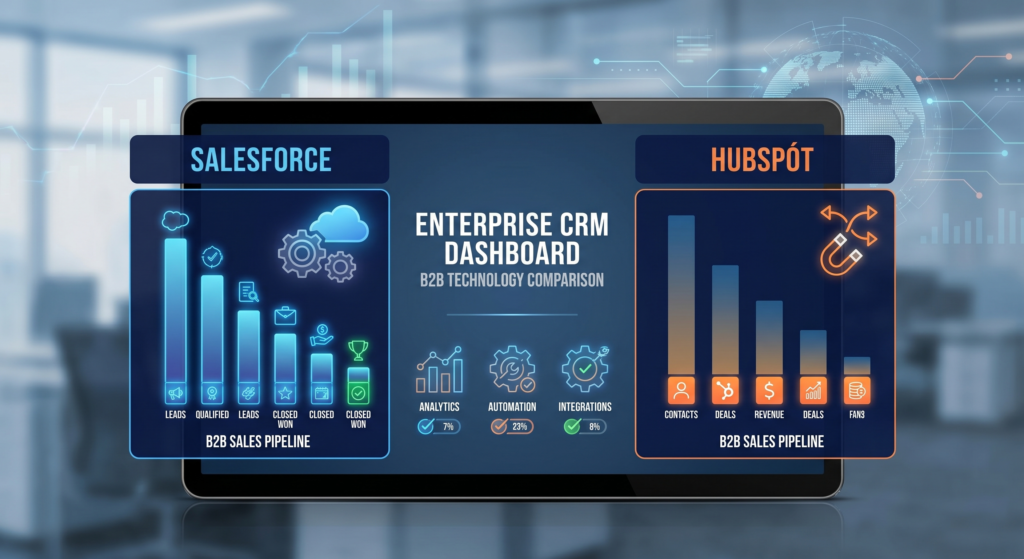
Choosing the right enterprise CRM in 2026 is one of the highest-leverage decisions a B2B organization can make. With revenue teams increasingly distributed, buyer journeys growing more complex, and AI reshaping how deals get done, a CRM is no longer just a contact database — it’s the operational backbone of your entire go-to-market motion. The wrong platform creates data silos, kills adoption, and leaves your team drowning in manual work. The right one accelerates pipeline visibility, tightens forecasting accuracy, and gives every rep the context they need to close. This guide cuts through the noise to help you evaluate, compare, and select the enterprise CRM that fits your team’s actual needs in 2026.
What Makes a CRM “Enterprise-Grade” in 2026
Not every CRM marketed as “enterprise” actually meets the demands of a complex B2B organization. Before evaluating vendors, it’s important to define what enterprise-grade truly means in today’s environment.
Scale and Data Architecture
Enterprise CRMs must handle millions of records, thousands of concurrent users, and complex data relationships across accounts, contacts, opportunities, and activities — without performance degradation. Look for platforms built on scalable cloud infrastructure with clearly documented data limits, API throughput rates, and uptime SLAs above 99.9%.
Customization and Configurability
No two enterprise sales motions are the same. A true enterprise CRM allows deep customization of objects, fields, workflows, and UI layouts — ideally without requiring full-time developer resources for every change. Low-code and no-code customization capabilities have become a standard expectation at the enterprise tier.
Security, Compliance, and Access Controls
Enterprise organizations operate under strict security requirements. Look for SOC 2 Type II certification, GDPR and CCPA compliance tooling, role-based access controls (RBAC), field-level security, single sign-on (SSO) with SAML 2.0 support, and robust audit logging. For regulated industries, HIPAA or FedRAMP compliance may also be required.
Integration Ecosystem
Enterprise CRMs don’t operate in isolation. They need to connect cleanly with your ERP, marketing automation platform, customer success tools, BI systems, CPQ software, and data warehouse. Evaluate both the native integration library and the quality of the open API — REST and webhook support are baseline requirements.
Top Enterprise CRM Platforms in 2026
The enterprise CRM market has consolidated around a handful of dominant platforms, each with distinct strengths. Here’s an honest breakdown of the leading solutions.
Salesforce Sales Cloud
Salesforce remains the dominant force in enterprise CRM, and for good reason. Its customization depth, AppExchange ecosystem (with over 7,000 integrations), and AI layer — Einstein and the newer Agentforce suite — make it the most feature-complete platform on the market. The tradeoff is complexity: Salesforce implementations are expensive, often requiring dedicated admins or consulting partners, and licensing costs scale quickly. It’s best suited to organizations with complex sales processes, large deal teams, and the budget to invest in proper configuration and ongoing management.
Microsoft Dynamics 365 Sales
For organizations already embedded in the Microsoft ecosystem — Azure, Teams, Office 365, Power BI — Dynamics 365 Sales is a compelling choice. Native integration with these tools reduces integration overhead significantly. Copilot AI features are deeply embedded across the platform, providing meeting summaries, email drafts, and deal risk flags. Dynamics tends to fare better than Salesforce in enterprise deals where IT controls the stack and Microsoft licensing bundles are already in play.
HubSpot Enterprise (Sales Hub)
HubSpot has matured significantly at the enterprise tier. Sales Hub Enterprise now includes custom objects, advanced permissions, predictive lead scoring, and conversation intelligence. Its standout advantage is usability — reps actually use it, which drives adoption rates that frequently outperform Salesforce deployments. It’s particularly well-suited to mid-market and growth-stage enterprises that want enterprise power without the implementation overhead of Salesforce or Dynamics.
Zoho CRM Plus / Zoho Enterprise
Zoho CRM remains a strong contender for enterprises that want broad functionality at a fraction of the cost. Its AI assistant Zia, canvas-based UI builder, and tight integration with the broader Zoho suite (analytics, desk, campaigns, finance) make it a high-value option. The tradeoff is depth — for very large, complex sales organizations, Zoho’s customization ceiling can be limiting compared to Salesforce.
Pipedrive Enterprise
Pipedrive occupies a different niche — it’s beloved for its pipeline-first UX and ease of use, but its enterprise tier has added team management features, security controls, and revenue forecasting. It’s an excellent choice for B2B companies with straightforward deal cycles that want speed and simplicity over complexity.
Enterprise CRM Comparison Table
| Platform | Best For | Starting Price (Enterprise) | AI Features | Customization | Implementation Complexity |
|---|---|---|---|---|---|
| Salesforce Sales Cloud | Complex enterprise orgs | ~$165/user/mo | Einstein, Agentforce | ★★★★★ | Very High |
| Microsoft Dynamics 365 | Microsoft-stack enterprises | ~$95/user/mo | Copilot | ★★★★☆ | High |
| HubSpot Sales Hub Enterprise | Mid-market / growth-stage | ~$150/user/mo | ChatSpot, Breeze AI | ★★★★☆ | Medium |
| Zoho CRM Enterprise | Cost-conscious enterprises | ~$40/user/mo | Zia AI | ★★★★☆ | Medium |
| Pipedrive Enterprise | Simple, fast deal cycles | ~$99/user/mo | AI Sales Assistant | ★★★☆☆ | Low |
Key Features to Evaluate During Your RFP Process
When running a formal vendor evaluation, these are the feature categories that differentiate enterprise platforms most meaningfully.
AI and Predictive Analytics
Every major CRM vendor has bolted on an AI layer, but quality varies significantly. Look for native AI capabilities that provide deal health scoring, churn risk signals, next-best-action recommendations, and automated pipeline forecasting — not just generative AI wrappers on top of basic fields. Ask vendors for concrete data on forecast accuracy improvements and rep time savings from their AI features.
Revenue Intelligence and Forecasting
Enterprise sales leaders need forecast confidence. Evaluate platforms on their ability to aggregate activity signals (emails, calls, meetings, stakeholder engagement), detect deal risk early, and generate bottom-up and top-down forecast views. Platforms like Salesforce with Revenue Intelligence or Dynamics 365 with Viva Sales integrations have made significant investments here.
Territory and Quota Management
For organizations with field sales teams, complex territory hierarchies, and quota plans that change annually, look for built-in territory management or tight integrations with dedicated SPM tools. This is an area where Salesforce has a significant native advantage through its Sales Planning and Territory Planning modules.
Mobile Experience
Field sales reps live on their phones. Evaluate the mobile app experience critically — not just feature parity with the desktop, but speed, offline functionality, and ease of logging activities on the go. HubSpot and Pipedrive historically outperform Salesforce and Dynamics on mobile UX.
CRM Implementation: What to Expect and How to Avoid Failure
CRM implementations have a notoriously high failure rate — industry estimates suggest 30–70% fail to meet expectations. Understanding why helps you build a better rollout plan.
Common Causes of CRM Failure
The most common failure modes are not technical — they’re organizational. Poor executive sponsorship, lack of clear process documentation before configuration begins, insufficient rep training, and no data governance strategy are responsible for the majority of failed implementations. Technology is rarely the issue; adoption is.
Building an Implementation Plan That Works
Start with process mapping before touching configuration. Define your sales stages, required fields, handoff criteria between teams, and reporting requirements in detail before engaging with the platform. Run a phased rollout — launch with core deal management and reporting first, then layer in automation, AI features, and integrations over 90–180 days. Identify internal champions in each sales region to drive grassroots adoption.
Total Cost of Ownership Considerations
License costs are just the beginning. Budget for implementation services (typically 1–3x first-year license costs for complex Salesforce builds), ongoing admin resources, data migration, integration development, and training. Enterprise CRM total cost of ownership over three years regularly runs 2–5x the sticker price when all costs are accounted for.
How to Run a CRM Evaluation in 2026
A structured evaluation process saves months of post-decision regret. Here’s a practical framework for enterprise B2B teams.
Step 1: Define Requirements Before Talking to Vendors
Gather input from sales leadership, sales ops, marketing, IT, and finance. Build a requirements matrix covering must-haves, nice-to-haves, and deal-breakers. Include functional requirements (features), technical requirements (security, integrations, API), and operational requirements (support SLAs, implementation support, training).
Step 2: Issue a Structured RFP
Send your requirements matrix to 3–5 shortlisted vendors. Request standardized responses so you can compare apples to apples. Ask for customer references in your industry and company size range — and actually call them.
Step 3: Run Scripted Demos
Don’t let vendors run free-form demos. Give each vendor a scripted scenario based on your actual sales process and ask them to demonstrate it live. This reveals both platform capability and vendor preparedness to serve your specific use case.
Step 4: Negotiate Effectively
Enterprise CRM contracts are almost always negotiable. Leverage multi-year commitments, seat count commitments, and competitive quotes for pricing concessions. Pay close attention to data export rights, API rate limits, and contract termination clauses — these matter more than most buyers realize at signing.
Frequently Asked Questions: Enterprise CRM Software
What is the difference between a CRM and a sales engagement platform?
A CRM is primarily a system of record — it stores and organizes account, contact, and opportunity data, tracks deal progress, and provides reporting. A sales engagement platform (SEP) like Outreach or Salesloft is a system of action — it manages sequences, automates outreach, and tracks engagement signals. Most enterprise teams use both, with the SEP feeding activity data back into the CRM.
How long does an enterprise CRM implementation typically take?
For a mid-complexity Salesforce or Dynamics implementation, expect 3–6 months from kickoff to go-live. More complex implementations with deep custom objects, multiple integrations, and large data migrations can run 9–18 months. HubSpot Enterprise implementations are typically faster, often achievable in 6–12 weeks for a focused rollout.
Is Salesforce still the best enterprise CRM in 2026?
Salesforce remains the most feature-complete and widely deployed enterprise CRM. But “best” depends on your context. Organizations deeply embedded in Microsoft’s ecosystem often get better value and faster adoption from Dynamics 365. Mid-market teams frequently find HubSpot delivers better ROI. Evaluate based on your specific requirements, team size, and existing tech stack.
How do I get buy-in for a CRM migration from sales reps?
Involve reps early — gather their input during requirements gathering, run a beta group with early adopters, and tie CRM adoption to visible benefits for them (less admin time, better context before calls). If reps see the CRM as management surveillance rather than a tool that helps them sell, adoption will fail regardless of the platform.
What CRM integrations are most critical for enterprise B2B teams?
The integrations that drive the most value for enterprise B2B teams are: marketing automation (HubSpot, Marketo, Pardot), sales engagement (Outreach, Salesloft), email and calendar sync (Gmail/Outlook), ERP (SAP, NetSuite, Oracle), BI and data warehouse (Snowflake, Tableau, Power BI), and CPQ (Salesforce CPQ, DealHub). Prioritize integrations that eliminate manual data entry and ensure a single source of truth across systems.
Can a smaller enterprise use Salesforce without a dedicated admin?
It’s possible but difficult for complex implementations. Salesforce out-of-the-box requires significant configuration, and without someone to manage it, the platform degrades quickly — duplicate records, broken workflows, and report inaccuracies accumulate. At minimum, designate an internal super-user with admin training. HubSpot or Zoho are more forgiving for lean teams.
What questions should I ask CRM vendors about AI features?
Ask: What data does the AI train on — is it your data, shared data across customers, or a foundation model? What specific outcomes does the AI improve, and do you have customer benchmarks? Can AI-generated insights be explained and audited? Are AI features included in the base license or add-ons? How does the AI handle data privacy requirements like GDPR?
Conclusion
The best enterprise CRM in 2026 is the one your team will actually use — configured to match your actual sales process, integrated with the tools you already rely on, and supported by an implementation plan that prioritizes adoption over feature count. Salesforce leads on raw capability and ecosystem depth. Dynamics 365 wins for Microsoft-first organizations. HubSpot excels on usability and time-to-value. Start with your requirements, run structured evaluations, and negotiate aggressively. The right investment here compounds over years through faster ramp times, better forecast accuracy, and a revenue team that operates with full context at every stage of the deal.
—